All features
Features
Quiet Hours
Silence notification sounds on a schedule. Alerts still land in Inbox. Selected priorities (for example high or emergency) can keep sound during quiet windows.

Quiet Hours
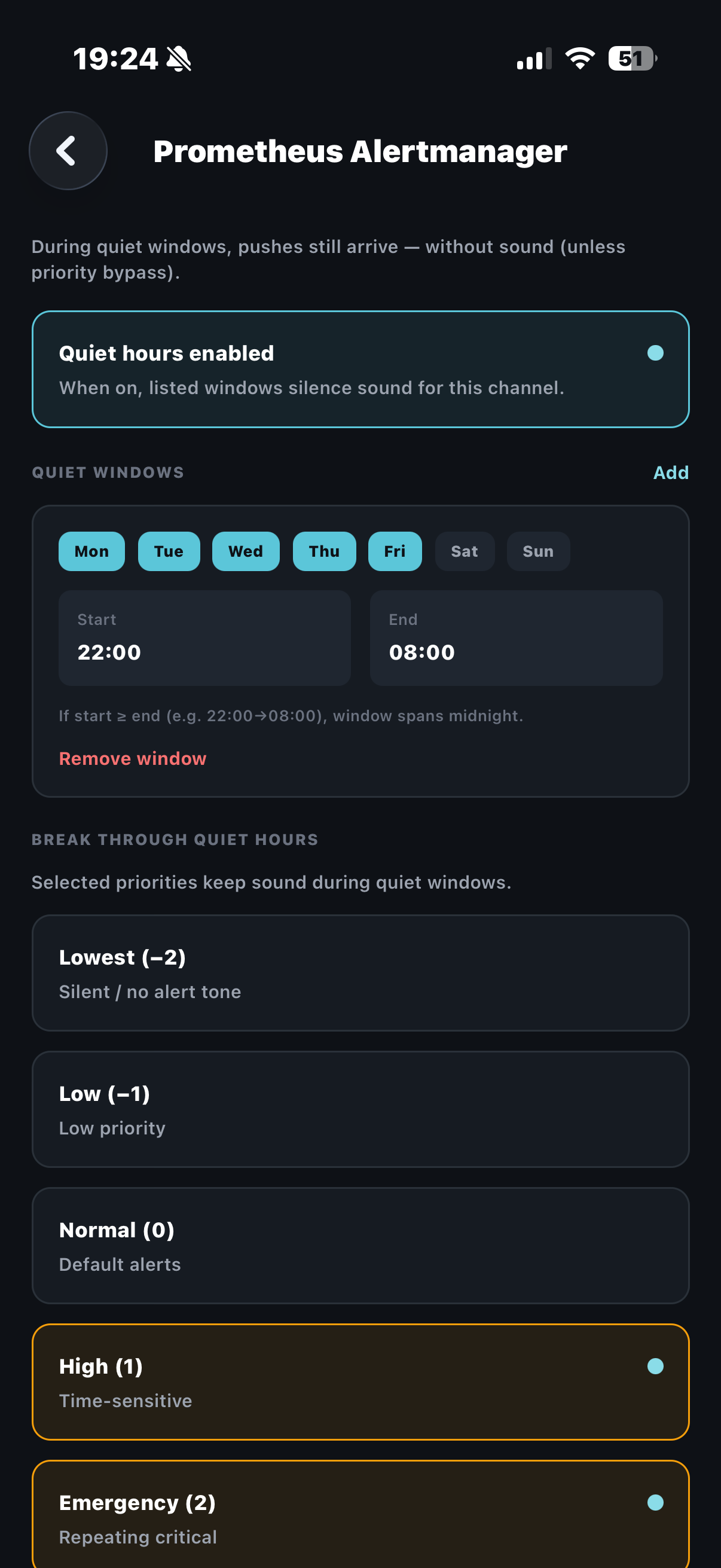
Silence notification sounds on a schedule. Alerts still land in Inbox. Selected priorities (for example high or emergency) can keep sound during quiet windows.
During quiet windows, pushes still arrive without sound unless a priority bypass is selected. Your Inbox and Active boards stay truthful.
Configure windows per channel for weeknights, weekends, or overnight, with clear override rules for pages that must break through.
- Schedule windows that silence sound only.
- Alerts continue to Inbox during quiet hours.
- Priority override for critical or emergency.
- Per-channel quiet hours configuration.
Try Quiet Hours today
Set up a free channel and see it on your phone in minutes. No credit card required.